
LibreOffice office suite
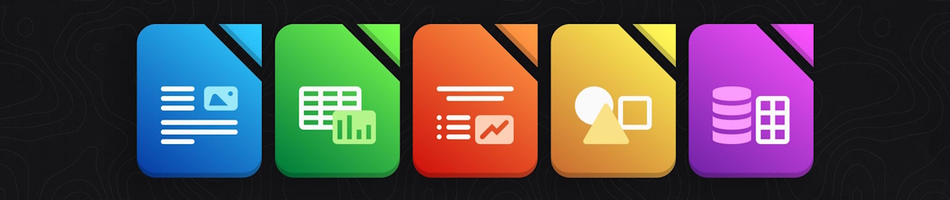
LibreOffice is a comprehensive free office suite supporting word processing, advanced spreadsheets, dynamic presentations, vector drawings, math formulas, and robust database management.
Open and edit Microsoft Office documents
LibreOffice is fully compatible with major document formats across all operating systems, including Microsoft Office files, making it a versatile choice for users transitioning from other office suites like Microsoft Office Home and Business 2021.
Compared to Microsoft Office
While Microsoft Office is considered the industry standard and offers extensive features 3, LibreOffice has several advantages and unique features that make it a compelling alternative, particularly for users who value cost, customization, and open-source principles.
That said, LibreOffice includes two powerful applications that are not found in the standard Microsoft Office suite: LibreOffice Draw and LibreOffice Math.
Additionally, LibreOffice's one-click PDF export is certainly much faster and friendlier than Microsoft Office's multi-step process.
Finally, LibreOffice allows users to switch between different user interfaces, including a traditional menu bar, a tabbed interface (similar to Microsoft's Ribbon), and a single toolbar. This flexibility enables users to customize the workspace to their preference, which is a feature not available in Microsoft Office.
The prevailing idea that Microsoft Office is better than LibreOffice is not only the result of marketing and user familiarity, but active campaigns by Microsoft to undermine the credibility of its competitors. (LinuxChad, 2025)
LibreOffice Writer
LibreOffice Writer is a powerful word processing application that allows users to create and edit text documents with ease. It offers a wide range of features, including advanced formatting options, styles, and templates, making it suitable for everything from simple letters to complex reports.
LibreOffice Calc
LibreOffice Calc is a powerful spreadsheet application that allows users to create and edit spreadsheets with ease. It offers a wide range of features, including advanced formulas, pivot tables, and data analysis tools, making it suitable for everything from simple budgets to complex financial models.
LibreOffice Impress
LibreOffice Impress is a powerful presentation application that allows users to create and deliver stunning presentations with ease. It offers a wide range of features, including advanced slide transitions, animations, and multimedia support, making it suitable for everything from simple slideshows to complex presentations.
LibreOffice Base
LibreOffice Base is a powerful database management application that allows users to create and manage databases with ease. It offers a wide range of features, including advanced querying, reporting, and data visualization tools, making it suitable for everything from simple data tracking to complex business applications.
LibreOffice Draw
LibreOffice Draw is a powerful vector graphics editor that enables users to create and edit complex graphics and diagrams. It offers a wide range of tools and features for designing everything from simple sketches to intricate illustrations.
LibreOffice Math
LibreOffice Math is a formula editor that allows users to create and edit mathematical formulas and equations. It provides a user-friendly interface for inserting symbols, fractions, and other mathematical constructs, making it an essential tool for students and professionals alike.
PDF Export and Hybrid PDFs
LibreOffice includes a one-click PDF export feature that allows users to quickly and easily convert their documents into PDF format. This feature is particularly useful for sharing documents with others, as PDFs are widely supported and preserve the formatting of the original document.
LibreOffice also offers highly customizable options for exporting to PDF, including the ability to create "hybrid PDFs" that embed an editable ODF file within the standard PDF. This feature allows the user to open and edit the PDF with LibreOffice while still functioning as a standard PDF for others.
Cost
With the recent increase in Microsoft Office subscriptions 1, you will be glad to hear that LibreOffice is completely free and open-source software, which means you can download, use, and distribute it at no cost. 2
Download
All versions of LibreOffice are available as a free download from the official LibreOffice website, while Linux flatpaks and snaps are also available via Flathub and Snapcraft, respectively.
User guides and manuals
The Document Foundation offers a collection of freely downloadable user guides and manuals in English and a number of other languages.
Contact SOHO Systems
For on-site or remote installation assistance, please contact SOHO Systems.
Footnotes
1. Microsoft Office 2021 is a one-time purchase, whereas Microsoft 365 is a subscription service with ongoing updates and features. ↩️
2. LibreOffice is free to download and use, with optional paid support and training available from various providers like SOHO Systems in Hermanus, South Africa. ↩️
3. Microsoft Office offers more advanced features for collaboration and integration with other Microsoft services. ↩️
4. LibreOffice's open-source nature means it is constantly being updated and improved by a community of developers. ↩️
5. The Document Foundation provides official support and documentation for LibreOffice, with community support available through forums and other channels. ↩️
Please Review Us
If you appreciate our content and tutorials, please review SOHO Systems on Google Search and Facebook.
References
Gizmodo (2016, November 18) The best free alternatives to expensive software [Gizmodo] https://gizmodo.com/the-best-free-alternatives-to-expensive-software-1789052889
LinuxChad (2025, May 18) MICROSOFT tried to DESTROY LINUX, but their plan LEAKED (how can THAT be legal??) [YouTube] https://www.youtube.com/watch?v=ql3RXOtKzm0
MSN News (2024, January 10) LibreOffice enables AI-powered image creation [MSN News] https://www.msn.com/en-ae/news/other/libreoffice-enables-ai-powered-image-creation/ar-AA1KJN5x
The Document Foundation (2025) Discover LibreOffice [LibreOffice.org] https://www.libreoffice.org/discover/libreoffice/
Wikipedia contributors (2025, September 1) LibreOffice [Wikipedia] https://en.wikipedia.org/wiki/LibreOffice
For more information about LibreOffice, please visit our LibreOffice archives; the official LibreOffice website, Facebook page, X profile, and YouTube channel; the archives at AlternativeTo; or run a Bing, DuckDuckGo, Google or YouTube search for "LibreOffice".
📅 September 4, 2025
🔃
🖨️


