
Microsoft Outlook for Windows
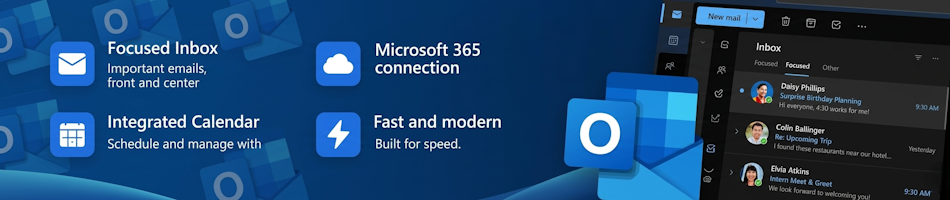
Outlook for Windows is a personal information manager (PIM) and desktop email client from Microsoft (Wikipedia, n.d.), that will replace Microsoft's Outlook Classic in 2027.
Contact Management
Apart from email management, Outlook for Windows also supports contact management, including adding, editing, removing, categorizing, importing and exporting contacts.
Contact Categorization
The current version of Outlook for Windows does not support bulk contact categorization.
Unfortunately, according to Microsoft Copilot, Microsoft has not yet scheduled bulk contact categorization for rollout in the New Outlook for Windows (Microsoft Copilot, 2026).
For the time being, you will have to categorize contacts one at a time (Microsoft Copilot, 2026).
Unified Inbox (rolling out in August 2026)
According to the latest Microsoft 365 Roadmap entry, Microsoft will start rolling out All Accounts view (a unified inbox view) in August 2026 (Microsoft, 2026; Jenic, 2026).
If you have multiple email accounts, you will be able to see all your inboxes in one place without actually merging them. (Jenic, 2026)
While each account stays separate, this view will pull everything together so you can access and manage emails without switching between mailboxes. (Jenic, 2026)
This will allow you to read, delete, move, archive, and mark messages across accounts from that single view. (Jenic, 2026)
It is, however, important to note, that according to Microsoft's 365 Roadmap entry, the initial release will only support searching within your primary account. (Jenic, 2026) Cross-account search and shared mailbox support are listed as coming in later releases (Microsoft, 2026).
While it is true that "Unified inbox has existed on Outlook for Mac and on mobile for years" (Jenic, 2026) and that "the new Outlook for Windows ... lacks it" (Jenic, 2026), it is important to note that while "Outlook for Mac" is indeed the Mac version of Microsoft's modern "Outlook for Windows" client, each platform has its own build and feature set.
Limited Search Functionality
As previously mentioned, the current version of Outlook for Windows only allows users to search the primary account. (Microsoft, 2026; Jenic, 2026)
Copilot Integration
Microsoft's AI, Copilot, has been integrated from the start (Jenic, 2026), with the aim of being more agentic. (Jawad, 2026; Vargas, 2026) That is, working for you rather than with you. (Jawad, 2026)
Rather than simply summarize emails, or drafting content based on a prompt, the aim is for Copilot to follow your instructions and work autonomously. (Jawad, 2026)
In the words of Usama Jawad, "Copilot in Outlook can now directly manage your inbox for you. You can prompt it to help you with follow-ups based on specific criteria, draft complex emails after going over your latest inbox updates, create a rule to automatically announce categories, and catch up after a vacation by highlighting important updates, recommending emails to archive, and suggesting tasks that you can start with first." (Jawad, 2026)
"In the same vein, agentic Copilot experiences are coming to the Outlook Calendar as well. It can respond to meeting invites, reschedule meetings, block focus time, schedule recurring meetings, and draft an agenda for an upcoming meeting. You can even ask it to evaluate your calendar and intelligently decide which meetings you can decline or delegate, along with helping you to prepare for upcoming events." (Jawad, 2026)
At the time of writing, all of these features were already available to Outlook customers who opted-in to Microsoft's Frontier program. (Jawad, 2026)
Please Review Us
If you appreciate our content and tutorials, please review SOHO Systems on Google Search and Facebook.
References
Jenic, I. (2026, May 28) Microsoft is finally bringing All Accounts view to Outlook on Windows [News article]. Neowin. https://www.neowin.net/news/microsoft-is-finally-bringing-all-accounts-view-to-outlook-on-windows/ ✔️
Jawad, U. (2026, April 27) Copilot in Outlook gets superpowers that enable automatic management of inbox and calendar [News article]. Neowin. https://www.neowin.net/news/copilot-in-outlook-gets-superpowers-that-enable-automatic-management-of-inbox-and-calendar/ ✔️
Microsoft (2026) Outlook: All Accounts view (Unified Inbox) brings your email into a single inbox view [Microsoft 365 Roadmap] https://www.microsoft.com/en-za/microsoft-365/roadmap?id=564609
Microsoft (2026) Outlook for Windows [Microsoft] https://www.microsoft.com/en-us/microsoft-365/outlook/outlook-for-windows ✔️
Microsoft Copilot. (2026, May 3). Conversation with EJ Hill [AI-generated personal communication]. ✔️
Vargas, D. (2026, March 9). Copilot in Outlook: New agentic experiences for email and calendar [Blog post]. Microsoft Tech Community. https://techcommunity.microsoft.com/blog/outlook/copilot-in-outlook-new-agentic-experiences-for-email-and-calendar/4514601
Wikipedia. (n.d.). Microsoft Outlook. In Wikipedia. https://en.wikipedia.org/wiki/Microsoft_Outlook
For more information on Outlook for Windows, please visit the official Outlook for Windows website, the Microsoft 365 Roadmap, browse the Outlook for Windows archives at Neowin, Windows Latest, and YouTube, or run a Bing, DuckDuckGo or Google search for "new microsoft outlook for windows".
📅 June 3, 2026
🔃
🖨️


