
How to Login as an Associate at Genius Within

Genius Within is a Community Interest Company (CIC) specialising in neurodiversity support for adults and the organisations that work with and employ them.
All of their psychologists, coaches and trainers are ILM Level 5 qualified, and use the Genius Within platform to manage their appointments and reports.
To log in, please navigate to https://associates.geniuswithin-portal.co.uk/.
You will be met by the official login page for Genius Within Associates.

Unlike their Client Login, the Associates Login does not support Microsoft Single Sign On (SSO), which is unfortunate since it would have streamlined their login process for associates. As a result, you will have to login with a username and password.
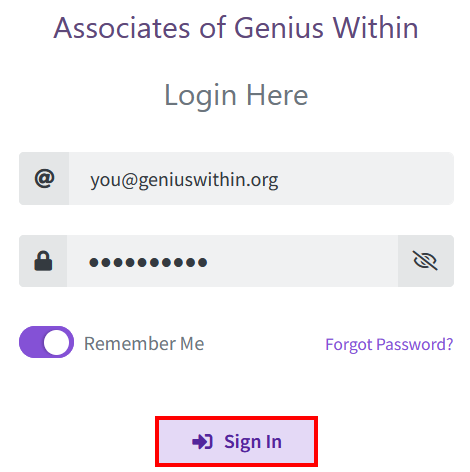
Enter your username (that is your Genius Within email address) and password (which only you will know). If you receive a popup request for a PIN, skip to the next step.

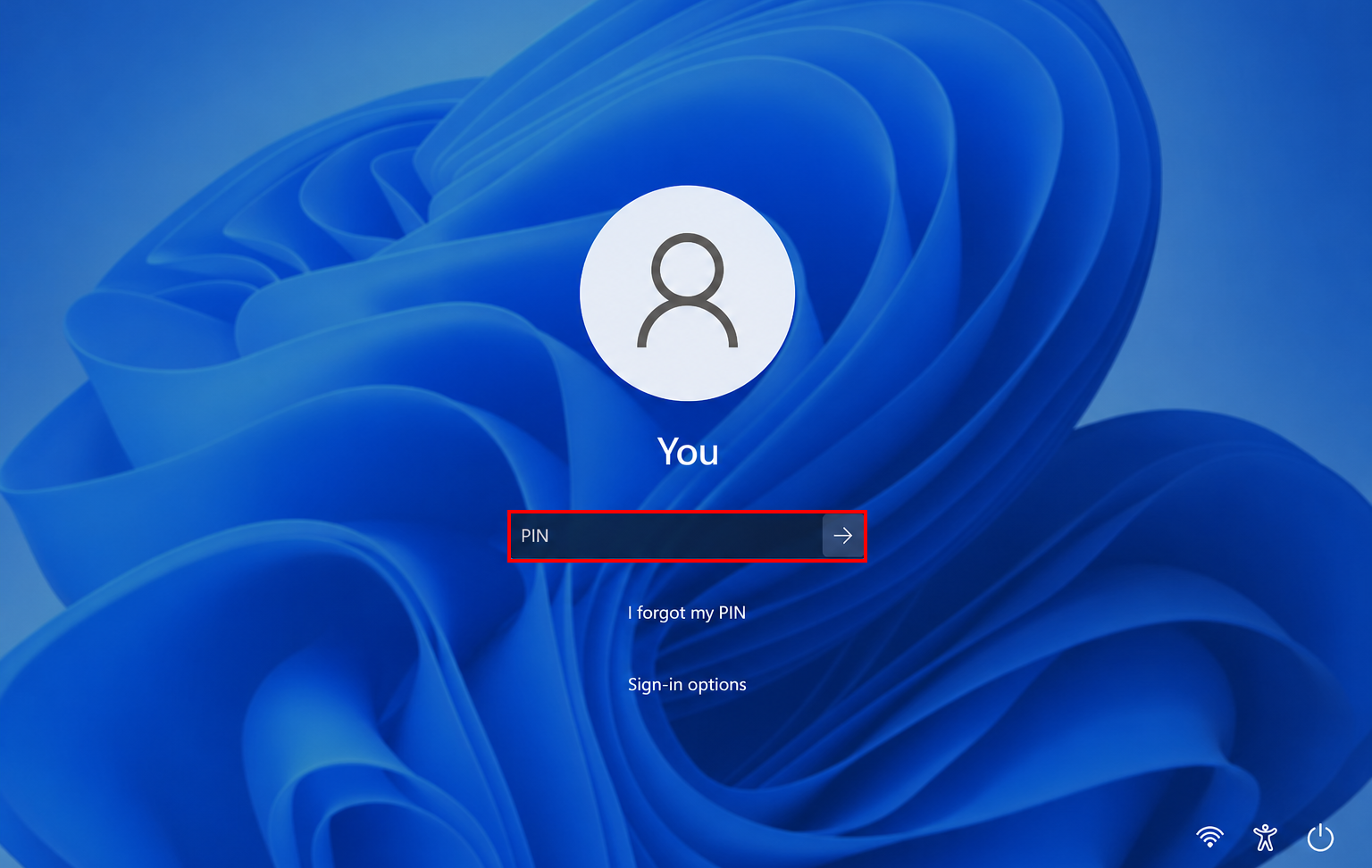
If you received a popup request for a PIN, while attempting to auto-fill your login credentials during the previous step, it is important to note that this prompt has NOTHING to do with Genius Within.
This prompt is a security measure that originates with the Windows Credential Manager, asking you to confirm your identity, before allowing the web browser to auto-fill your saved credentials.

You, and only you, will know what your Windows Hello login PIN number is. That is the same PIN number you usually enter during system start up on the Windows Lock Screen below.
Flip the "Remember Me" toggle switch to ON.

Single-left-click the "Sign In" button.
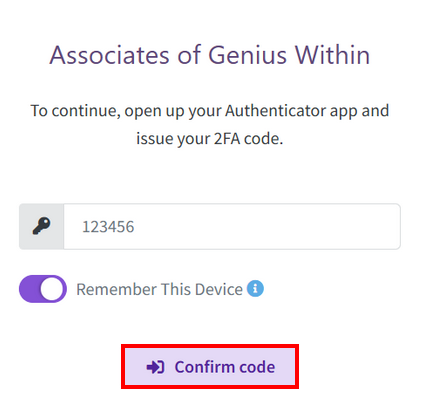
At this point you may or you may not be prompted for a 2-Factor Authentication (2FA) Code.

If prompted for a 2-Factor Authentication (2FA) Code, open your authenticator app on your phone, that is Google Authenticator, Microsoft Authenticator, or Bitwarden, and look for "Genius Within", and enter the generated code in the field to the right of the key icon.

Flip the "Remember This Device" toggle switch to ON.

Single-left-click the "Confirm code" button.
You should now enter the Genius Within Dashboard from where you may manage your bookings.
Please Review Us
If you appreciate our content and tutorials, please review SOHO Systems on Google Search and Facebook.
References
For more information, please visit the official Genius Within Admin Portal; or run a search via Bing, DuckDuckGo or Google for “Genius Within associates login”.
📅 June 16, 2026
🔃
🖨️


