
Microsoft Access
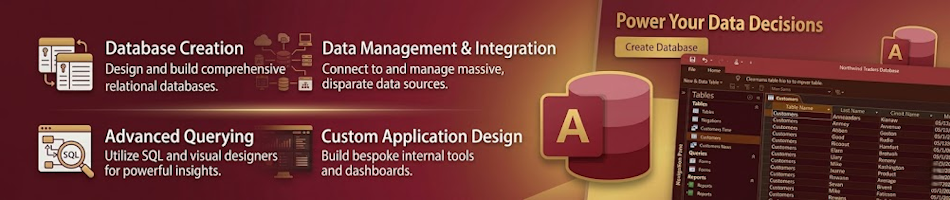
Microsoft Access is a database management system (DBMS) from Microsoft that combines the relational Access Database Engine (ACE) with a graphical user interface and software-development tools.
Access forms part of the Microsoft 365 suite of applications and is available in Microsoft 365 Business Standard, Microsoft 365 Business Premium, Microsoft 365 Apps for Enterprise, Microsoft Office Professional 2019 and Microsoft Office Professional 2021.
Access is not included in Microsoft 365 Business Basic, Microsoft 365 Apps for business, or Office Home & Student editions.
Key Features
Relational database engine with support for tables, queries, forms, reports, and macros
Graphical query designer for building SELECT, UPDATE, INSERT, and DELETE queries
Form and report designers for creating custom user interfaces and printed documents
Integration with other Microsoft 365 applications including Excel, Outlook, and SharePoint
Support for VBA (Visual Basic for Applications) for automation and custom logic
Data import and export capabilities for CSV, Excel, XML, and ODBC sources
Built-in templates for common database applications like inventory, contacts, and project tracking
Multi-user support with record-level locking for shared database environments
Microsoft Access Course
The following course covers everything a South African grade 10, 11 and 12 high school student in Computer Application Technology (CAT) and Information Technology (IT) should know.

The Advantages of Microsoft Access
Microsoft Access is a relational database management system that stores large amounts of data in a structured way. Learn about the advantages of Access including data manipulation, controlled input, and security.

The Internal Structure of an Access Database
Learn about the internal structure of a Microsoft Access database: fields, records, tables, queries, forms, reports, macros, and modules with data type explanations.

Planning a Database
Learn how to plan a Microsoft Access database: understand the purpose, identify entities, choose data types, and set primary keys.

Building a Database
Learn how to build a Microsoft Access database: create tables, set field properties, define primary keys, and establish relationships.

Optimising a Database
Learn how to optimise a Microsoft Access database: normalisation, indexing, data integrity, and performance tuning.

Commenting a Database
Learn how to comment a Microsoft Access database by documenting tables, queries, forms, reports, and modules with descriptive notes and annotations.

Populating a Database
Learn how to populate a Microsoft Access database by adding records, importing data, and entering information into tables, forms, and datasheets.
📅 May 28, 2026
🔃
🖨️


